Could I be re-directed to the correct thread to get an answer of some kind?
I just discovered also that PB put its watermark on my PRO-paid eBooks! That is expressly in conflict with the contract when purchasing PRO - is it the same glitch that happened when the site was updated a few weeks ago?
Any help, or re-direction, would be appreciated.
Happy New Year from all of us at Pressbooks! We released several updates and product features in December, including significant updates to our Results for LMS product and accessibility improvements to our webbooks, themes, and PDF exports.
Results for LMS Update
The biggest changes we released in December were for our Results for LMS product. Pressbooks Results for LMS is an optional LTI add-on for hosted EDU networks which allows instructors to seamlessly record the results of student attempts on interactive Pressbooks content directly into a learning management system LMS gradebook based on the configured settings. The improvements we made in this latest release responded directly to user feedback from two semester-long pilots with instructors from a variety of North American institutions.
First, we have overhauled the LMS grade reporting user interface to make it easier for instructors to configure the graded activities in their chapter. Instead of adding activities one at a time by their unique ID number, the interface now displays all activities in a given chapter in a single view, along with check boxes to include them in the score report, as well as an ‘include all/remove all’ global option. We also added direct links to allow instructors to quickly view (and attempt) each activity, so that they don’t have to remember the specific content for a given activity and can more quickly update activities and their max score in a given chapter.
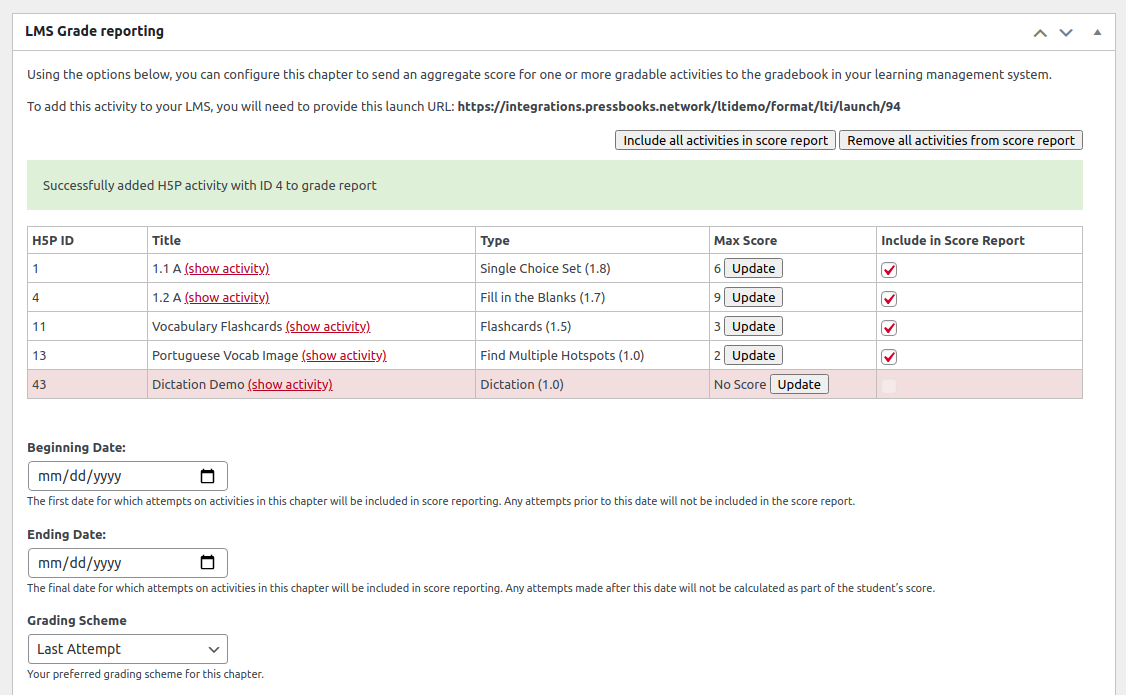
We’ve updated our guide with details on using these new configuration options.
Second, we added new book-level settings to make it easier for instructors to quickly set and change the grade configuration for multiple chapters in their book. When Results for LMS is enabled, the book-level LTI settings page will now include a ‘Results for LMS defaults’ section where users can set a default grading scheme, designate content as assignments (Canvas only), and set the points possible (Canvas only). In addition to setting book defaults, the book administrator can also apply these default values to all existing content in a book if they want to quickly change values everywhere.
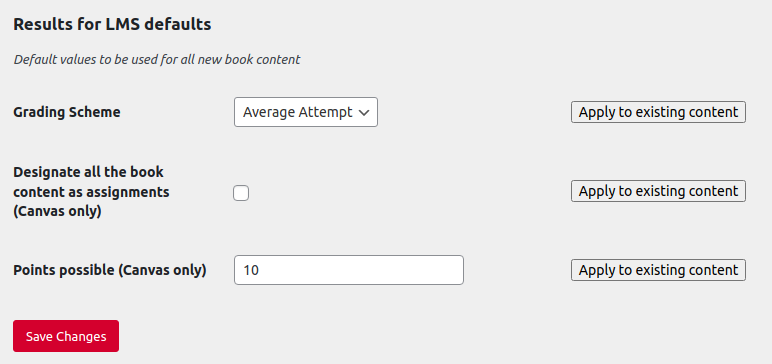
Accessibility Changes and Bug Fixes
We also released a handful of smaller accessibility changes and bug fixes in December.
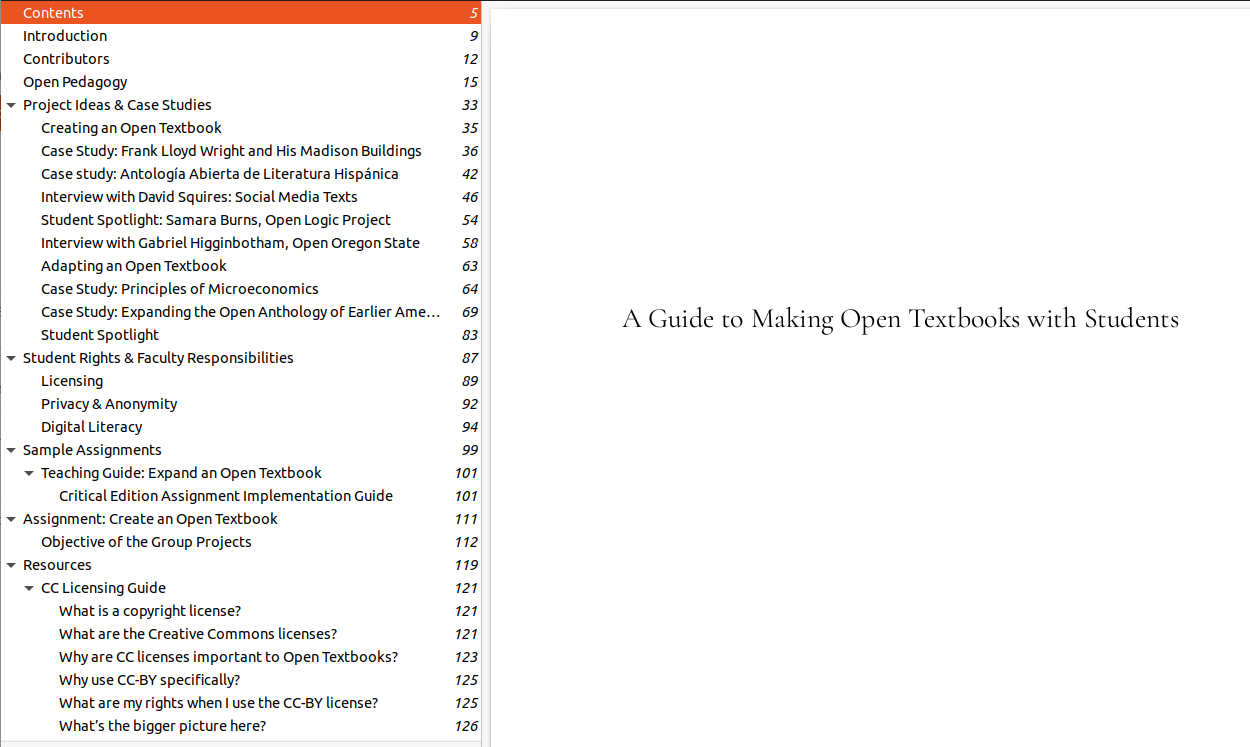
First, we improved the bookmark structure for digital PDF exports so that front matter, back matter, parts, and chapters are all correctly nested. The book’s table of contents and all front matter, back matter, and parts will now be displayed as level 1 bookmarks. Chapters inside visible parts will be displayed as level 2 bookmarks, and as level 1 bookmarks when the part is invisible. In addition, when two-level table of contents are enabled for a book, all top-level headings within chapters will be displayed with the corresponding bookmark level (level 2 when the chapter is a level 1 bookmark, and level 3 when the chapter is a level 2 bookmark).
Second, we added underlining to body links within the Aldine theme so that links are indicated by more than just colour:
We have also added a link to Pressbooks Directory to the global footer and improved the visibility of the show more/hide indicators for webbook metadata and book information in mobile views.
Finally, we fixed a number of small bugs, including restoring character encoding declarations to EPUB exports, removing empty arrays from the Pressbooks API, and ensuring that the ‘bulk delete book’ method works as expected for network managers on hosted EDU networks. For more details about these and other updates, please consult the release notes for Pressbooks: Releases · pressbooks/pressbooks · GitHub, Pressbooks-book: Releases · pressbooks/pressbooks-book · GitHub and Aldine: Releases · pressbooks/pressbooks-aldine · GitHub.
Upcoming Product Updates
Our next product update webinar will be held from 2-3pm ET on Thursday, January 27th. The meeting agenda and Zoom link can be found at Pressbooks Product Update Agendas - Google Docs. Hope to see many of you there!
We released several updates and product features in January, including web traffic analytics dashboards for all books on our EDU networks, support for theme & style cloning, better documentation for our Results for LMS product, and the ability for network managers to display a custom RSS feed on the user dashboard.
Web Traffic Analytics for All Books
We’ve added a clean, easy to configure dashboard which provides book creators with information about page views and web traffic for their books. This dashboard is powered by an open source plugin called Koko Analytics and is now operational on each network root site and each book on our hosted EDU networks. Each dashboard displays how many visitors your book has had over a given time period, which chapters/pages get the most traffic, and the most common referrers to your book. It also provides simple controls to change the date range and will dynamically adjust the displays, graphs, and tables shown for your chosen time period.
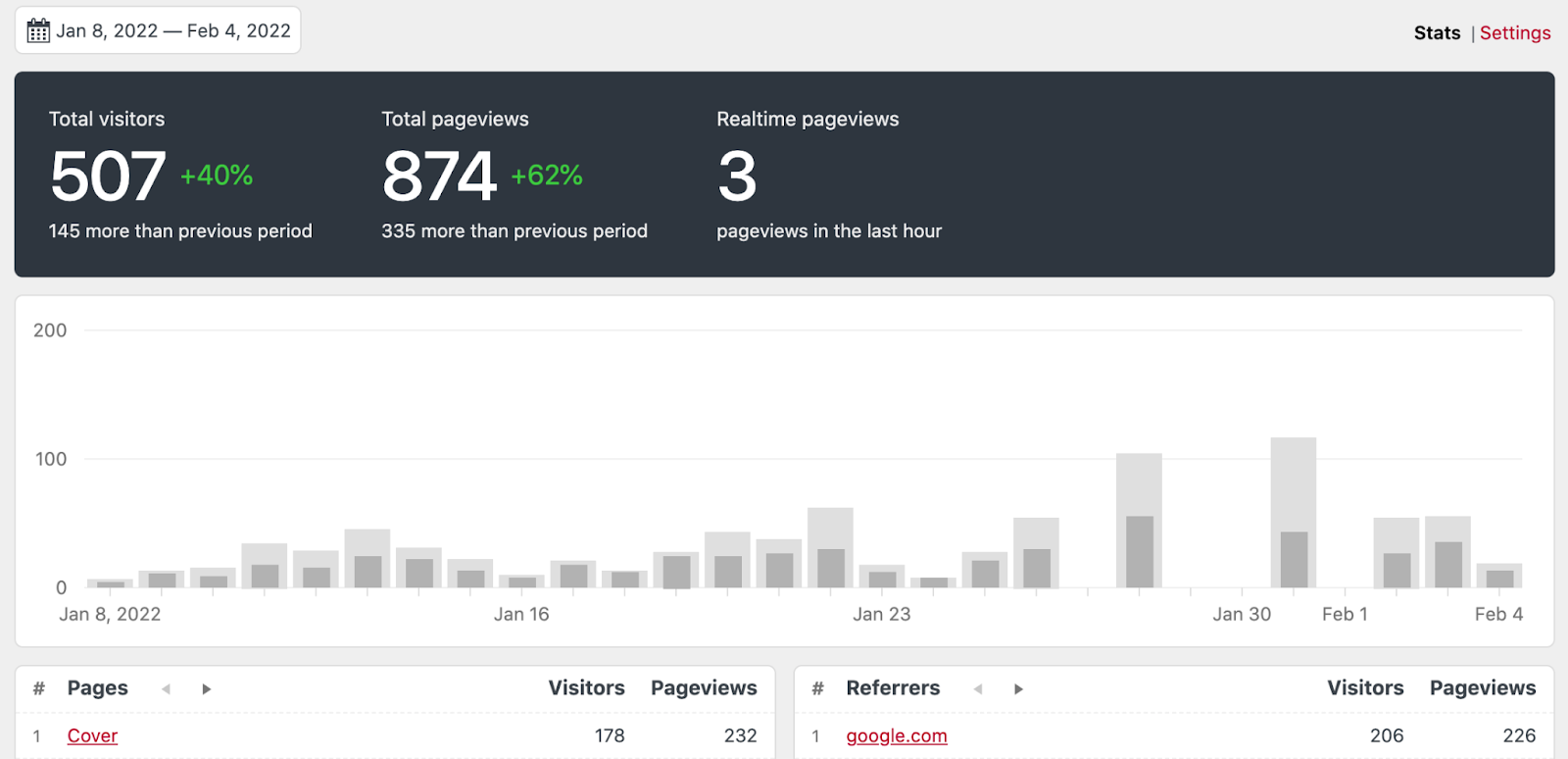
The integration also provides settings which can be configured at the book level. These settings allow you to exclude page views from certain types of logged-in users; to decide whether to use a cookie to anonymously determine whether a visitor was a unique or returning visitor; to set the default date period displayed when the dashboard loads; and to define how long page view stats should be stored for your book.
You can begin exploring these interesting insights into page view traffic on your public books now by clicking the “Analytics” link on the left sidebar menu of a book’s admin dashboard.
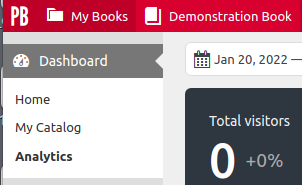
This integration has been operational on most of our PressbooksEDU networks for the last couple of months, though the accuracy of page visit data will be highest since the beginning of 2022.
For anyone who has been using our optional Google Analytics integration to track web traffic, you can continue to do so. These two methods for tracking web traffic are non-exclusive. We have simply begun providing a privacy-respecting default option that does not require special configuration as part of our PressbooksEDU offering. Learn more about our integration with Koko Analytics.
Cloning a Book’s Theme & Other Styling Information
Until very recently, our cloning routine focused exclusively on a book’s content and ignored the book’s presentation. This meant that when you cloned a book, the clone would include all of the text, images, and interactive components in the original, but would not include the book’s theme, theme options, or any custom styles created by the original authors.
In our most recent release of Pressbooks, the cloning routine will now attempt to fetch and apply presentation or styling information from the original book as part of the cloning process. This means that cloned books will now look like identical clones. This has been an often requested and long awaited improvement – we’re grateful to eCampusOntario (and Rama Kaba-Demanin in particular) for supporting the research and development of this exciting new feature!
Whenever a book is cloned, we now run a theme check after the content has been cloned. If the source book is using a theme and version which is present on the target network, we will proceed to clone the source book’s theme, theme options and any custom styles to the target book. When the clone routine completes, the success message will indicate that the styling information was successfully applied.

If we can’t find a matching version of the theme, we’ll clone the content only (just as before) and display a message informing the user the content was cloned but that we couldn’t apply theme/styling information because the source book’s theme was not available on their network. We expect this message to only be seen by users who are attempting to clone to or from a self-hosted Pressbooks network which is using out-of-date or customized book themes. When cloning to and from a hosted PressbooksEDU network, the theme cloning feature should always just work, since both networks will always be running the same, up-to-date versions of all themes.
Improved Documentation for Results for LMS Product
Thanks to the excellent work of @ThomasWeideman and @Amy_Song, we now have improved documentation (including videos!) for our Results for LMS product.
For instructions on how to configure Pressbooks Results for LMS with your LMS, see https://networkmanagerguide.pressbooks.com/chapter/configuring-the-lti-1-3-plugin/
For instructions on how instructors can configure a chapter as a graded activity once this feature has been activated in their book, see https://networkmanagerguide.pressbooks.com/chapter/configuring-a-chapter-as-a-graded-activity/
For instructions on how to add graded activities to your LMS, see https://networkmanagerguide.pressbooks.com/chapter/adding-a-graded-chapter-to-the-lms/
To learn more about this optional add-on for our hosted EDU networks, see these videos created by our sales executive Sarah Fennessey:
- https://www.youtube.com/watch?v=lUCpBJilVq8 (for Canvas)
- https://www.youtube.com/watch?v=JCi1SFoD7Aw (for Moodle)
- https://www.youtube.com/watch?v=6zP0QB-17Q4 (for Blackboard)
You might also be interested in “Connecting Pressbooks to Your Gradebook: Active Learning in OER,” a recent webinar hosted by Open Oregon, which demonstrated the product and explored their recent experiences piloting the product with community college students.
If you’re interested in participating in a no-cost pilot of this product in an upcoming semester, or purchasing Pressbooks Results for LMS for use by students at your institution, please contact us at sales@pressbooks.com.
Display a Custom RSS Feed on User Dashboards
Network managers on our hosted EDU networks are now able to display a custom RSS feed on the user dashboard. You can use this to display news and updates from your library publishing program, or state wide open education updates, or any other RSS feed you think will be of interest to your users. The option to configure this appears at the bottom of the ‘Network Options’ menu:
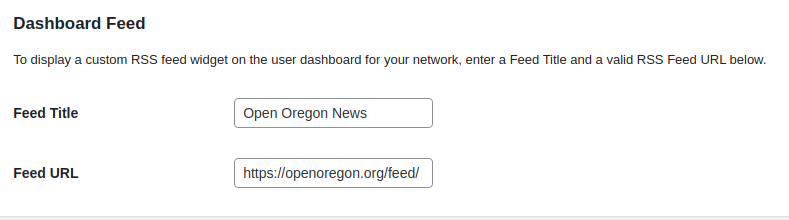
When configured, this feed will be added to the user dashboard, along with two default RSS feeds containing ‘Pressbooks News’ and ‘Pressbooks Product Updates’. The example below shows a custom RSS feed from Open Oregon (‘Open Oregon News’).
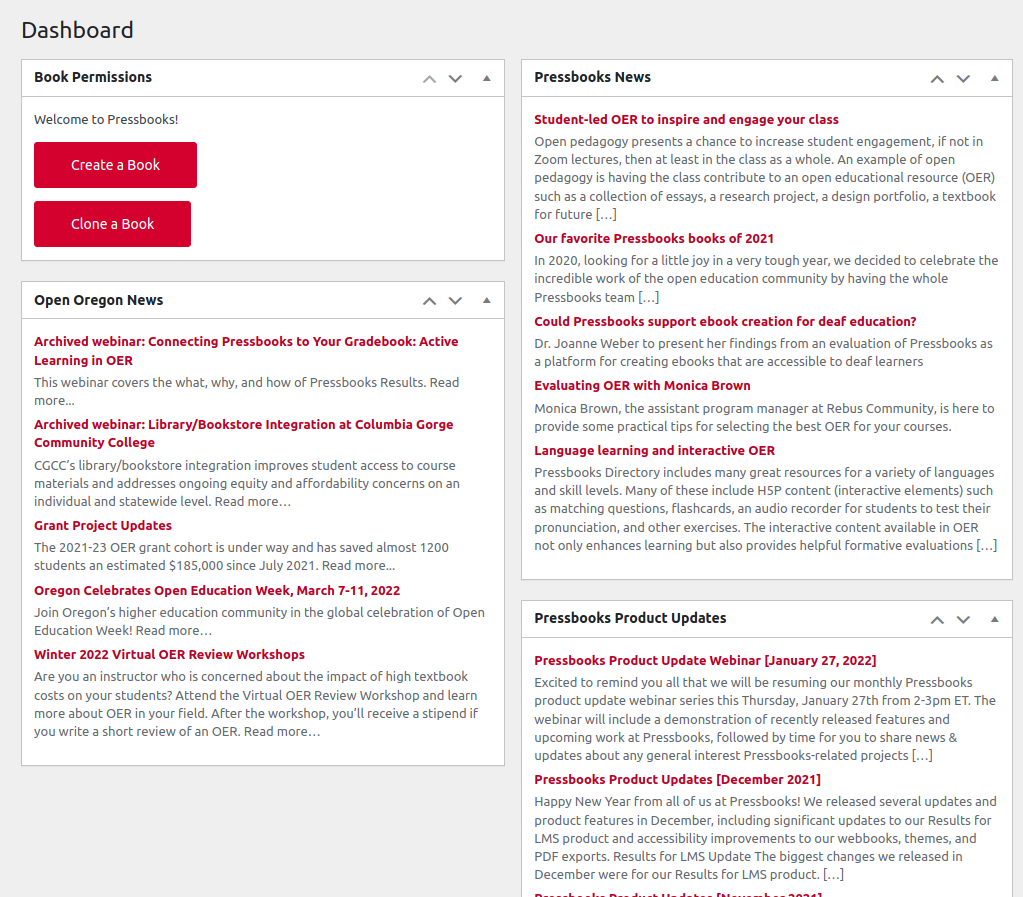
Users can move dashboard items around by dragging/dropping in available spots. They can also choose to show/hide specific widget elements using the expandible screen options menu at the top of their dashboard:

These display preferences are unique to each user, meaning that any choices made by an individual user will apply only to their user dashboard.
Product Update Webinars
The January product update webinar in which several of these features were demonstrated and discussed can be viewed on YouTube: https://www.youtube.com/watch?v=9VZ0mIvGYF8. The video includes chapter markers in the description and closed captioning.
Please join us at 2pm ET on February 24 for our next monthly product update webinar!
It’s fair to say that March brought several big and exciting changes internally at Pressbooks! Most of us took some time away from work for ‘spring break’, spending time with our partners and children and recharging ourselves emotionally and physically. In addition, one of our developers moved with his family from Brazil to Montreal and has been settling into a new apartment in a new city in a new country and another developer from our team welcomed a new child to their family and went on parental leave.
With our team capacity reduced over the month of March, we focused our available energy on improving our documentation for network managers, finishing up a development contract for eCampusOntario, improving infrastructure and overall system performance for our hosted clients, and making a few small bug fixes.
The first big change that came out of our ‘spring cleaning’ was a total refresh/overhaul of our network manager guide: https://networkmanagerguide.pressbooks.com. We reorganized the structure of the guide, made chapter titles and headings clearer and more action-oriented, and created several new ‘how to’ videos. We gave special attention to improving the guide chapters which describe how to set up our SSO integrations and use Pressbooks Results for LMS, which uses LTI connections with several supported learning management systems. You can see an overview of several of these improvements in our last product update webinar video: https://www.youtube.com/watch?v=uM9fjHLyJsM. If you’re a network manager and notice anything that seems missing or inaccurate, please let us know!
March also saw the completion of a development contract commissioned specifically by eCampusOntario. The project involved the creation of some custom copyright licenses used only on their Pressbooks network and building an integration with a custom identity provider they’ve implemented. While the work we completed in March isn’t of general interest to other Pressbooks users, it still required a lot of planning, development, and testing.
We also made several hosting and infrastructure changes for our hosted clients in March. All hosted Pressbooks networks now run PHP 7.4 and use MariaDB 10.5 as their database engine. We also made other infrastructure improvements to improve self-healing processes, server monitoring, caching, page load time, and over speed & performance of our hosted networks, particularly during times of increased traffic. If you have questions about Pressbooks infrastructure or how we host networks for our SaaS clients, we’re always open to discuss further.
Finally, we released a few small fixes to improve our EPUB and LTI Common Cartridge exports. The common cartridge export improvements were primarily focused on improving the experience of anyone using Pressbooks Results for LMS with the Blackboard learning management system. If you’re using Blackboard and Pressbooks Results for LMS, the upshot is that Common Cartridge imports should once again be working as expected.
Looking forward to seeing many of you in our next monthly product update, at 2pm ET on Thursday, April 28!
Updated Product Name
We’ve updated the name of our core product from ‘Pressbooks Authoring & Editing Platform’ to simply ‘Pressbooks Create’. The product itself will be the same (it’s still an authoring & editing platform), but we’ll be using this shorter, simpler name for it. Going forward, you hear us refer to our three products as ‘Pressbooks Create’ (the core Pressbooks plugins + themes), ‘Pressbooks Directory’ (the standalone directory site and the related indexing and search technologies which power it), and ‘Pressbooks Results for LMS’ (allows institutional users of Pressbooks Create to send the results of student activities from their Pressbooks network to the LMS gradebook).
Second, we’re retiring the PressbooksEDU logo in favor of the general Pressbooks logo/wordmark. If you’re using our old PressbooksEDU logo anywhere, please replace it with our horizontal Pressbooks logo.

Please refer to our brand guidelines for other notes on usage.
Added Support for Cherokee Syllabary
At Pressbooks, we want to support all the alphabets and languages that people want to write and share their knowledge in. To that end, we’ve long had a feature in our Theme Options that allows authors to add support for languages or scripts which don’t have all of their glyphs (characters) encoded in every font or family typeface. When you select an alphabet here, Pressbooks will download a specific font family that does include glyphs for all of that language or script’s characters and embed it so that these characters are always available to readers in your EPUB and PDF exports.
In May, we added support for the Cherokee syllabary. To use this feature in your book, click ‘Appearance’ → ‘Theme Options’ and find the ‘Language and Script Support’ option. To add support for Cherokee, select Cherokee and click ‘Save changes’.
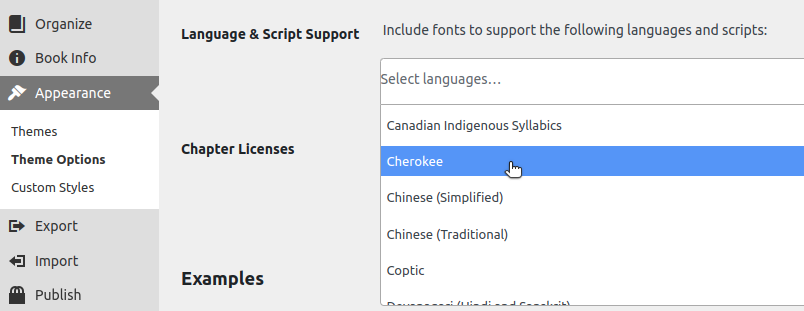
Once you’ve done this, you’ll be able to use Cherokee characters in your book with confidence that the expected characters will be included in all file exports. You can, of course, continue to use this feature with any of the twenty other supported scripts and languages.
If there’s another language or script that you’d like to use in Pressbooks that we don’t currently support, please let us know and we’ll do our best to add/include it!
Allowed Network Managers to Edit User Catalogs
Each user in Pressbooks has an individual catalog which allows them to list whatever books they want for themselves as a user on their ‘My Catalog’ page. This is a very old feature that was mainly built for self-published authors back in the very early days of Pressbooks, but some people are still using this.
As a logged in user, you can always go and administer your catalog page. What had happened in several cases was that an individual user had built a personal catalog that was displaying information for the network itself and then this individual had left the institution where the network was hosted. When that happened, their individual catalog became orphaned, even when network managers on that network wanted to continue to manage or maintain it. What we’ve done is given network managers the capability to administer the catalog page for any/all users on their network.
As a logged in network manager, when you visit a user’s My Catalog page, you’ll now see an ‘Admin’ button/link in the top right which, when clicked, will allow you to edit that user’s catalog. We don’t think this feature is or will be very widely used, but for those of you who requested this capability, we hope it has made your job easier!
Changed DOI resolver
We modified the DOI resolver URL to use https://doi.org instead of the older, deprecated https://dx.doi.org pattern. Users should not notice any effect, but any book which uses DOIs will now have the links redirect directly to the doi.org URL without an additional redirect.
Accessibility Fixes
We also made a few minor changes to improve accessibility. First, we’ve restored a more consistent visual focus indicator (a blue outline) as users tab through or shift focus to various elements on the Pressbooks sign in page. The image below shows the focus indicator on the ‘Log In’ button for example:
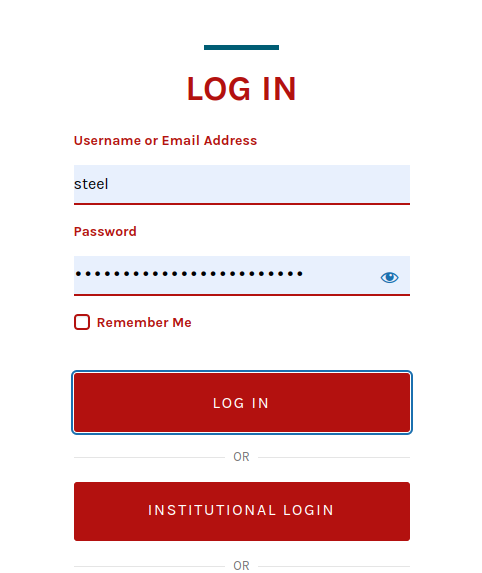
We also fixed the aria label for custom network logos on book pages, so that it displays the name of the network (as expected) rather than the name of the book. The corrected aria label will help users better understand where that link will take them and what the title of that resource is.
Improved Documentation for Open Source Users
Finally, we’ve made several updates to our documentation site for the Pressbooks open-source project. First, we’ve combined and consolidated what had previously been two separate sites into a single site at https://pressbooks.org and restructured the top level navigation menu to make it easier for visitors to quickly find the information they’re looking for. Second, because it’s for open-source users, we wanted to make it easier for developers and open-source users to contribute to the documentation if and when they found sections in need of correction or updating. We’re now maintaining this documentation site as a static site deployed via Netlify from a set of simple Markdown files hosted in a public GitHub repository at GitHub - pressbooks/pressbooks.org: Documentation for the Pressbooks Open Source project..
What this means in practice is that each of the pages you see at https://pressbooks.org corresponds to a Markdown file in that GitHub repo. If you saw an error (like a typo or a broken link) on one of those pages, you can now simply come into the GitHub repository, find the relevant Markdown file and make a pull request or suggest a change to fix or correct the language on a page.
I also made a short video that can show non-technical users how to open simple pull requests directly from your browser using GitHub: https://www.youtube.com/watch?v=fRaHq5jd2Po.
We hope that these changes will make it easier for developers and other open-source users to use (and improve) our documentation.
We look forward to seeing many of you at our next monthly product update at 2pm ET on Thursday, May 26!
May was a busy month for all of us at Pressbooks, just as it was for for the many educators and students we support who finished up their academic terms! Here’s a rundown of some changes we released last month:
Improved user dashboard:
We’ve been thinking about our new user onboarding experience lately, and focused a lot of our attention last month on improving the new user experience. If you’ve logged into a Pressbooks network recently, you’ve probably noticed a few changes to the user dashboard:
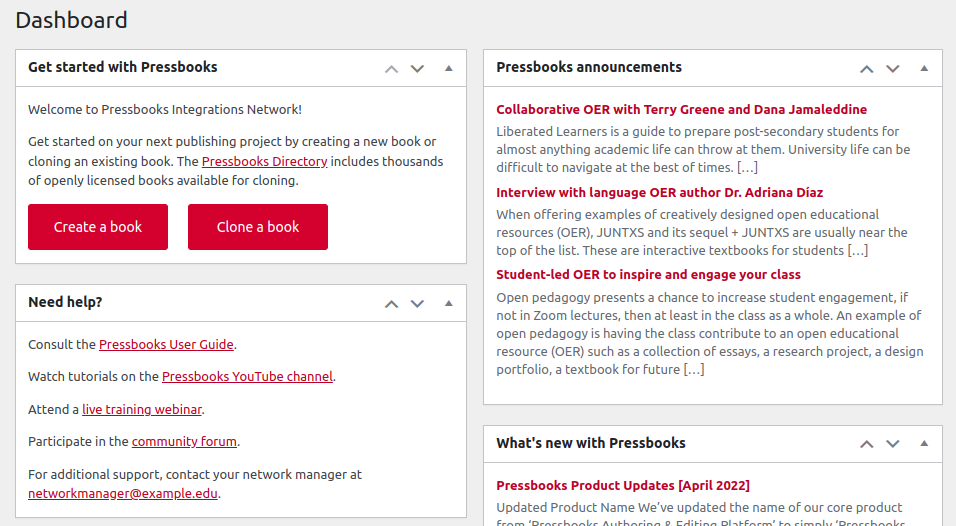
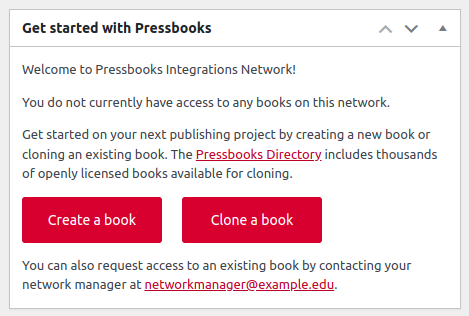
The first time a new user logs into their account, they will now see a ‘Get started with Pressbooks’ widget which informs them about the Pressbooks Directory and offers them clear ‘Create a book’ and ‘Clone a book’ action steps. If the network has a contact email listed, they will also be given instructions for how to contact their network manager:
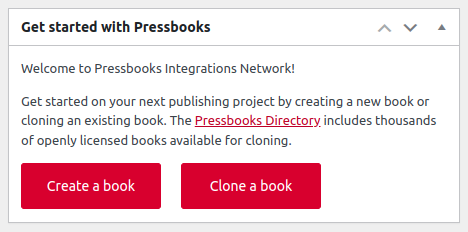
If a user already is already a user in one or more books on the network, they will see a simplified version of this message (the example below shows the display when there is no contact email set for a network):
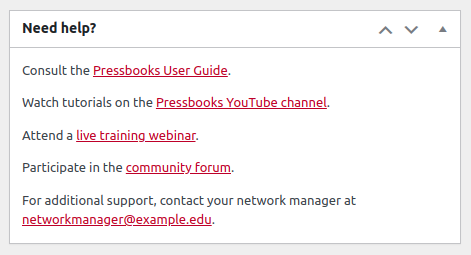
Second, we’ve added a simple ‘Need help?’ widget that provides several avenues where a new user can find answers to common questions or get support for any problems they’re encountering. As with the get started widget, it will also display the network’s contact email if one has been set:
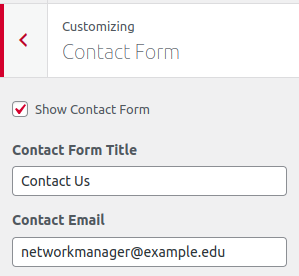
Network managers can update the ‘Contact Email’ value via the Aldine theme customizer (see our guide for more details: Customize Your Network’s Appearance – The Pressbooks Network Manager’s Guide).
Finally, we’ve reduced the number of posts displayed in the RSS feeds displayed on the dashboard from 5 to 3 to reduce the amount of space they occupy on the dashboard.
These changes are just the beginning of several more improvements we’d like to make in the coming months. We’ve just hired Michelle Weremczuk as our first dedicated UX/UI Designer on the Pressbooks team, and can’t wait to share more of the improvements she’ll help us implement to make Pressbooks work better for everyone!
Better documentation
As part of our focus on new user onboarding in May, we continued to pay special attention to our self-service documentation for users, network manager, and open source developers. Thomas Wiedeman, our Support and Documentation Specialist, continued his work on our User and Network Manager guides (described in our March 2022 update) by ensuring that the guides don’t contain any broken links or outdated references, adding redirects for old or deleted resources, and making sure that we had easy to understand documentation for several of the most commonly asked support questions that didn’t have existing documentation.
We also made several improvements and updates to our documentation site for open source users/developers at https://pressbooks.org/. You’ll now notice two new major sections there: Developer Guides and User Guides, both of which had all relevant pages refreshed and updated so that they’re more accurate.
Results for LMS improvements
We also released a few improvements to Pressbooks Results for LMS. We added support for LTI launch links which lead to the network root page and user dashboard and tightened up security by disallowing the Pressbooks login page to be displayed within iframes. If you have questions about to use the new launch links (in an LMS placement, for example), please feel free to contact premium support.
Bug fixes
We also released bug fixes for a handful of issues. We fixed a minor bug that was affecting LTI setting choices in individuals books when they were updated by users with the book administrator role, another bug that was preventing network managers from seeing the list of admin users and performing bulk delete actions from the book list page, and fixed the display of the ‘Alegreya Sans’ font when selected as the header or body font in the McLuhan and Malala themes.
June product webinar
We look forward to seeing those of you who can make it at our next monthly product update (June 30th from 2-3pm ET), where you’ll hopefully have the chance to meet Michelle and hear more about recent documentation improvements from Thomas, among other things. We hope you enjoy a pleasant and restful June!
June was a bustling summer month for all of us at Pressbooks – we welcomed a new team member, shipped a few new features and bug fixes for Pressbooks, and prepared for the launch of pressbooks.pub, our new subscription service for individual authors! Here’s a rundown of what we were up to in June:
Welcome Michelle Weremczuk, our new UX/UI Designer
First of all, we’re thrilled to announce that Michelle Weremczuk has joined our team in June as Pressbooks’ new UX/UI designer! Michelle has an extensive background in design. She began her career as an exhibit designer at the Royal Alberta Museum and worked there for nearly a decade, where she honed her interest in experience design, especially learning in physical spaces. She also impressed us with her more recent experience with digital experience design techniques and methods. Her first big project will be working with users to lead the redesign of our Aldine Network Catalogue!
New call to action banner on book homepages & reading interface
In June, we also added small, dismissable CTA banners to webbook homepages and the reading interface.
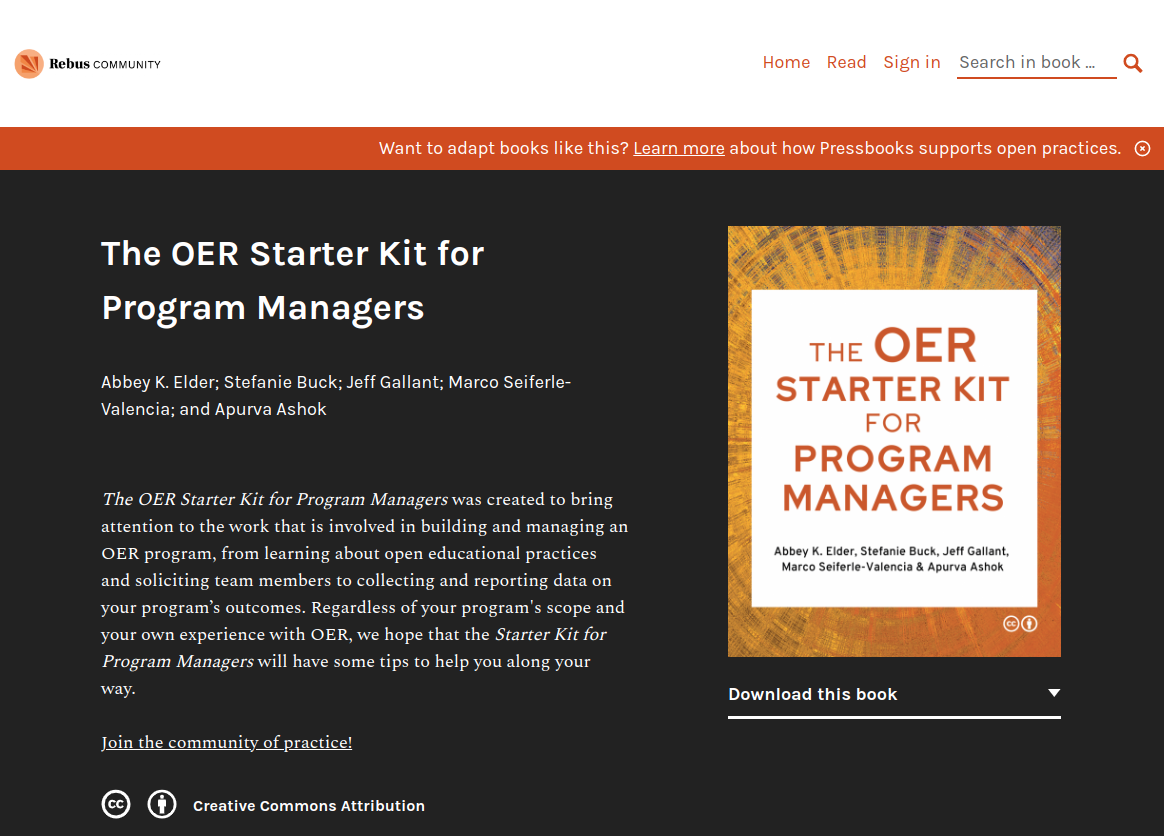
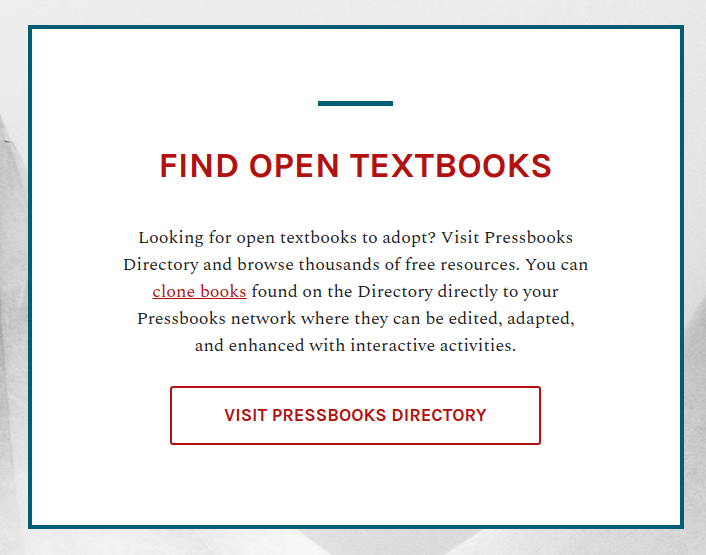
These banners invite readers to a simple information page on our marketing site which provides information about adopting and adapting openly licensed resources with Pressbooks. These CTAs will automatically be displayed using the branded colours for the networks that they appear on, and can be dismissed by readers at the book level if they no longer wish to see them. Our hope is that this simple intervention will both improve general awareness of OER and lead to wider adoption of free, openly licensed learning material.
Updated BISAC terms
In June we also released a small change which updates the BISAC subject terms to use the 2021 edition released by BISG. Pressbooks users should now be able to use any of the newly released terms when applying BISAC subject headings from their book info pages, and will have any deprecated terms in use automatically updated to recommended replacements the next time they save their book info.
Cloning Routine Improvements
Finally, we released a bug fix for our cloning routine so that ‘unlisted’ glossary terms (public terms that have been selected for exclusion from the automatically generated glossary lists) will still be cloned and referenced normally when books are clones.
July product webinar
If you’d like to see the recording from our last webinar, it can be found on YouTube: https://www.youtube.com/watch?v=uhFBzTQGz5c. We look forward to seeing those of you who can make it at our next monthly product update (July 28th from 2-3pm ET), where we’ll be showcasing the new pressbooks.pub subscription offering and seeking feedback on our proposed redesign for the Aldine network catalogue.
Hi Steel,
This might be nitpicky, but I have content on my network that isn’t OER and some that is. As the new banner changes over time, could one possibility be that the banner only gets shown on books that have an open license set in the book information?
Ed
Even slight changes could make this fit both openly licensed publishing and more open access oriented publishing… Something like…
Want to create or adapt books like this? Learn more about how Pressbooks supports open practices and publishing.
Thanks @beckej – I’ve passed on your suggestion to our comms & marketing team. Seems reasonable to me!
@beckej Just merged a PR which makes a small language improvement along the lines of your suggestion: Update CTA mesage by SevenSidedSquare · Pull Request #1090 · pressbooks/pressbooks-book · GitHub. Should be included in next release of McLuhan. Thanks!
Here’s a rundown of what we were up to in July & August, the last of the summer months:
Improvements to Pressbooks.pub and our migration tool
As you likely know, we recently launched a new subscription service for individual authors at pressbooks.pub which includes several educational features and other improvements which we could not make available for technical reasons on our old pressbooks.com service. A large portion of our time and energy over the summer was spent improving the automatic migration tool that users of our old pressbooks.com service can use to move their content over to pressbooks.pub before the planned September 29 shut down date.
UX Research on a new Pressbooks Network Catalog
Now that Michelle Weremczuk has joined us in the UX/UI designer role, we’ve been able to increase the quality and frequency of the research we conduct to understand our user’s goals and objectives. Michelle’s first project was interviewing several existing network managers about the ways they’d like to use their network catalog pages to showcase books they’ve published. These interviews have had a major influence on our planning and design work on a new and improved Aldine catalog (coming soon!).
Allow Custom Styles to be applied to book home pages
Previously, users could apply ‘custom styles’ to alter the CSS of their webbook, EPUB and PDF exports. CSS they entered through this feature was applied to every page inside of a book, but not the webbook home page itself. We changed that so that custom styles applied to a book will now also be applied to the book’s home page. As with any custom CSS, please use this power prudently! Learn more about custom styles from our guide: Apply Custom Styles – Pressbooks User Guide.
Update to new version of Thema
Pressbooks allows users to categorize the contents of their book using a public subject taxonomy called Thema (by EDitEUR). Over the summer we upgraded Pressbooks to use the latest version of Thema (v1.5), which includes 177 new core subject categories and 220 new qualifiers, and added support for Thema users in all 25 languages for which Thema subject terms are available. Learn more about adding relevant metadata to your book from our guide: Add Relevant Metadata – Pressbooks User Guide
Retired legacy Pressbooks networks for self-publishers
At the end of September, we officially stopped hosting books on two legacy Pressbooks networks for self publishers: https://pressbooks.com and https://ingramspark.pressbooks.network. Over time, these networks had grown to include over 100,000 titles, of which a distressingly large percentage were spam or abandoned books. Several months ago, we announced that we would no longer be hosting books at these two legacy networks.
In order to continue serving individual faculty and self-publishers, we launched a new subscription-based service at pressbooks.pub which made several new features available to individual authors for the first time. Over the past several months we also offered free migration services for anyone who wanted to move their books from the old pressbooks.com and Ingram Spark networks to the new pressbooks.pub service, and we ended up migrating more than 2,000 books for users of the discontinued networks.
We also moved all of the public, openly licensed content that had been published at pressbooks.com, and set up automatic redirects so that visitors to the old URLs would not be lost or confused after we stopped hosting books at pressbooks.com. Pressbooks has and will continue to host this public, openly-licensed content free of charge, even if the book’s creators don’t have a pressbooks.pub subscription. We are pleased to announce that over 750 new books have been added to the Pressbooks Directory as a result!
Use Featured Image to Replace Hero Image in Aldine Pages
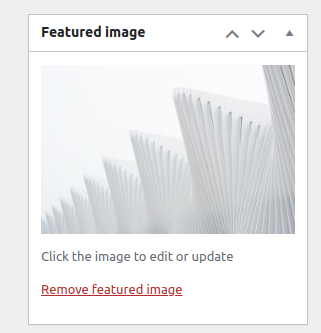
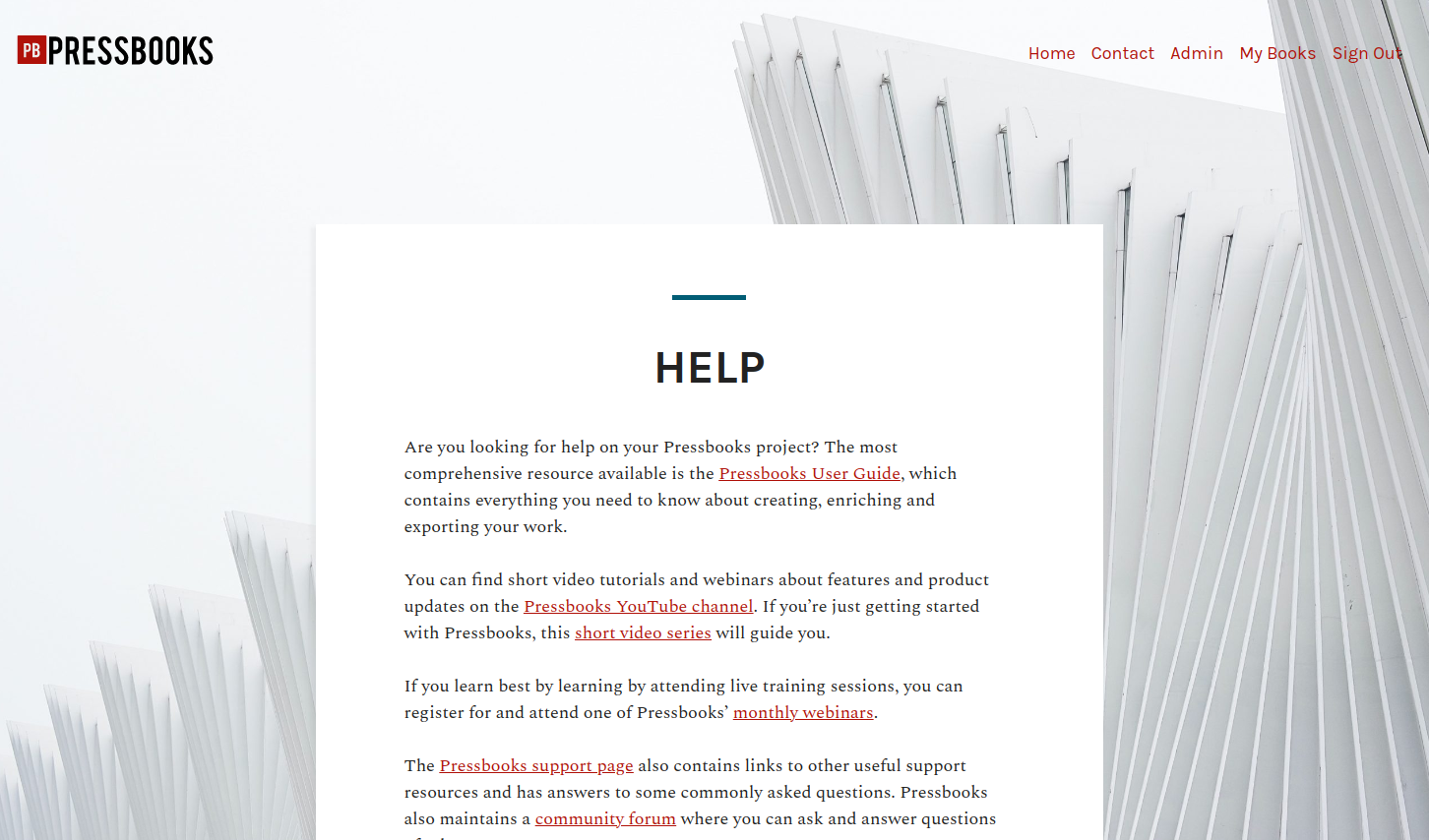
The Aldine network theme now allows users to assign individual hero/header images using the ‘featured image’ tool in the page editor! To change the hero image on one of your root site pages, simply edit the page, upload or select an existing image from your media library as the page’s featured image, and save your changes.
After you have done this, the featured image you’ve selected will then be displayed as the hero/background image in the page’s header (example shown below):
Custom Styles Improvements
We’ve updated the ‘custom styles’ feature available for books so that CSS added there will also be applied to the book’s homepage. This change now allows authors to customize the appearance of their book’s homepage as well as the reading interface for interior content. See our guide for more details on how to use the Custom Styles feature: Appearance – Pressbooks User Guide
We also created a network-level option to suppress the banner CTA that we recently added to help educate users about how they can clone and adapt openly licensed content. Readers who don’t want to see the CTA can simply dismiss it by clicking the X; authors who want to suppress the CTA on their books can do so with a simple ‘display: none’ custom CSS declaration, and network managers who want to suppress the CTA on all books on their network can now do so with a simple network-level theme option. Clients who would like assistance with removing the CTA on their networks are invited to contact premium support.
Accessibility improvements & bug fixes
In September, we also made several fixes to improve the accessibility of Pressbooks’ export and cover generator pages. On the export page, we replaced the old PNG icons for export files with SVGs and accessible label text. On the cover generator page, we updated the icons and improved the user’s ability to navigate the page without a mouse and see all of the available actions.
We also fixed two bugs that were affecting EPUB/PDF exports: first, we corrected a problem that affected chapter numbering in the EPUB table of contents in certain situations; second, we ensured that users could correctly add and display italics and bold text in front and back matter titles.
Release Notes for Developers
We released major version updates for Pressbooks & several of our plugins in September. These releases made upgrades to the application container and replaced the Blade templating engine in use, allowing our developers to do more modern things with Laravel, a popular PHP framework. We also moved the Buckram and Aetna pattern libraries outside of McLuhan and back into standalone packages which are required as dependencies in McLuhan.
An additional note for open source users/developers: a forthcoming release will include support for PHP8, which will become a requirement for running Pressbooks before the end of 2022.
Beta Testing of the New Network Catalog
Finally, we conducted beta testing of our new network catalog with more than a dozen existing institutional clients. Over the past few months, we have talked with dozens of network managers about how the existing Aldine network catalog could be redesigned to help them better showcase books they have published. After processing their desires and feedback, we’ve been incrementally improving a new network catalog page which will allow network managers to enter customized introductory text, search and filter all published titles, and display the cover image and select metadata about each included book, much like the Pressbooks Directory. We’re making a few final design and accessibility improvements to the beta catalog this month, and expect to have a first public release to share in next month’s product update! For now, we hope you enjoy the preview image included below:
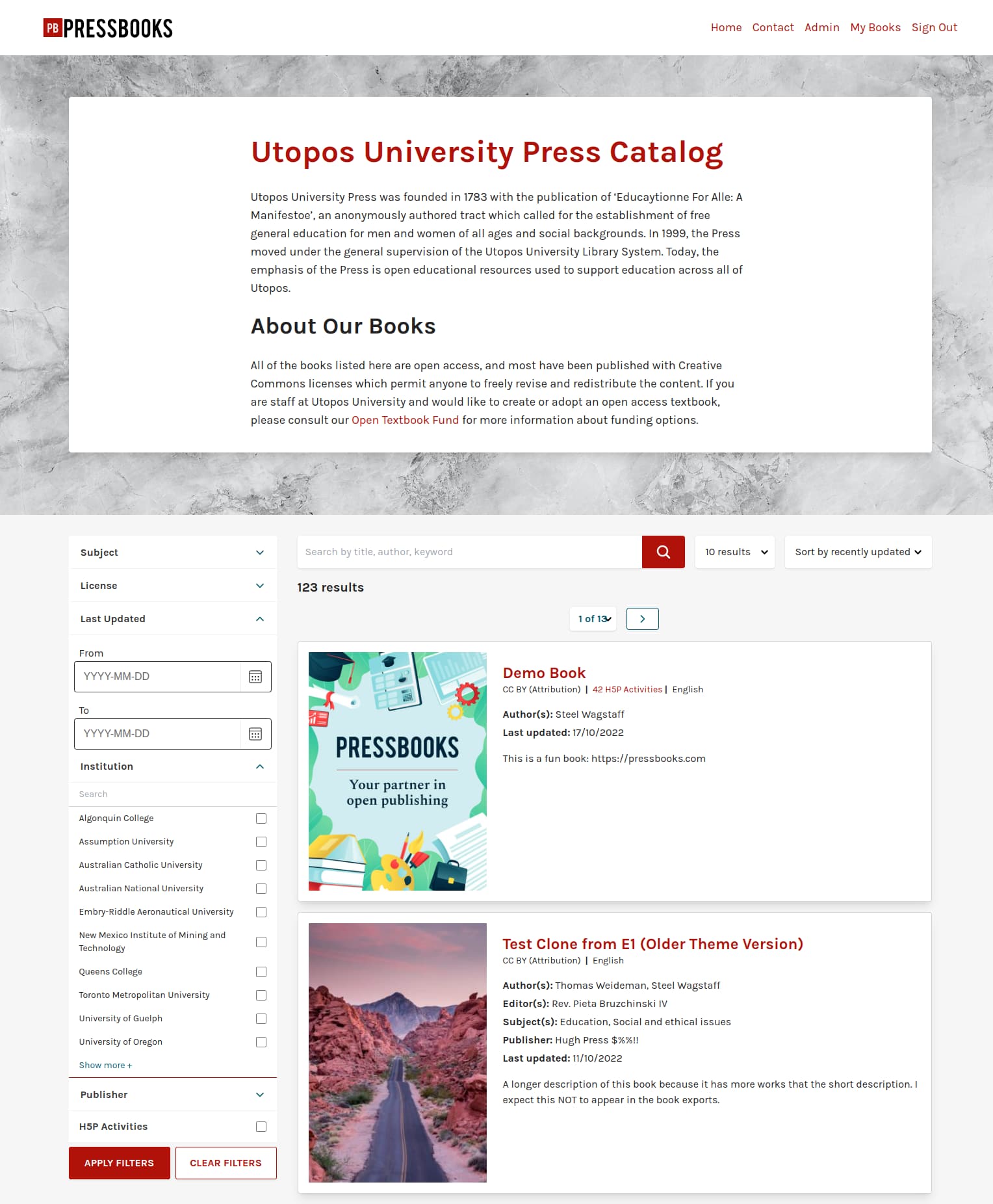
Hey @EDU_Managers! Our dev team has worked to replace the Aldine catalog page to help network managers better showcase their books. The new network catalog works similarly to the previous catalog with a few notable updates. It resembles the Pressbooks Directory more than before.
Some features that the new catalog supports are:
-
Mobile compatibility
-
Searching/filtering all published titles
-
Displaying cover images for books
-
Utilizing featured images to modify the background image of the catalog
-
Catalog page customization
-
Sorting search results alphabetically or by most recently updated
-
Including book descriptions
Steel provided a demonstration on the new network catalog during our October 2022 Product Update, which you can watch here.
Want to learn more about the new network catalog? Check out our upcoming Spotlight Session on increasing the visibility of your books and see the new catalog in action.
How have you configured and customized your new catalog? Have you encountered any roadblocks that you would like to share with us? Let us know!
Hello
We noticed that our front page catalogue had disappeared, and now that we’ve reactivated it the blocks have disappeared and we just saw text title links. It didn’t look good so we’ve turned it off for now. Any suggestions?
Thanks, Maria
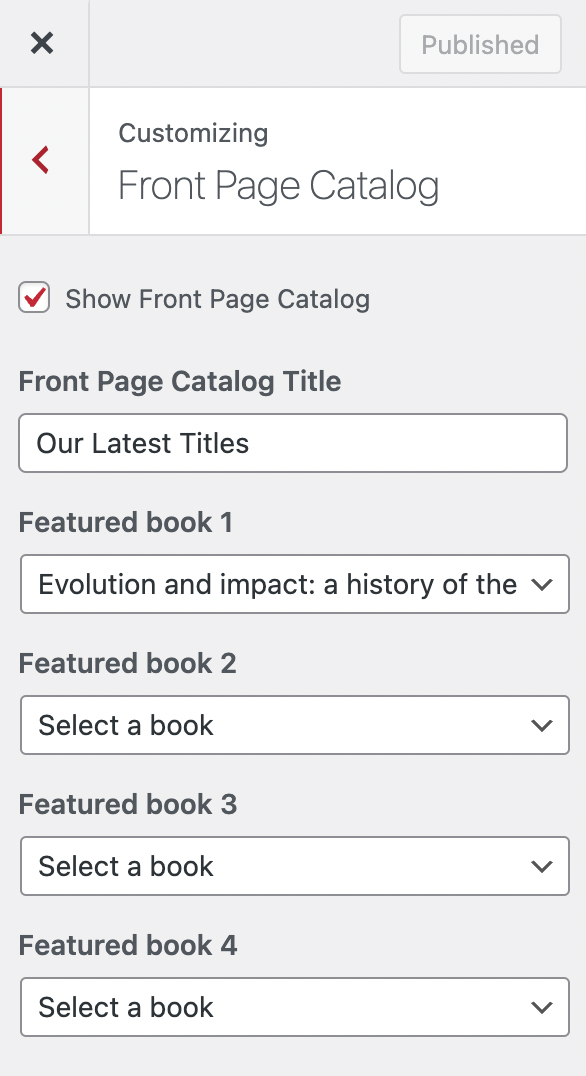
Hi @mbmawson I see the ‘Show Front Page Catalogue’ box is unchecked on your network’s root site Customise page (under Front Page Catalogue). I’d suggest enabling this and selecting multiple books to be featured there. They should appear with blocks and covers. The catalogue page itself appears for me in full at https://sheffield.pressbooks.pub/catalogue/. I hope this helps.
Hi Thomas
I’ve checked the box and listed a title so you can see the problem. All we’re getting is a title, no cover or block. Any further advice would be much appreciated.
Thanks, Maria
@mbmawson here’s what I see when I visit your catalog:
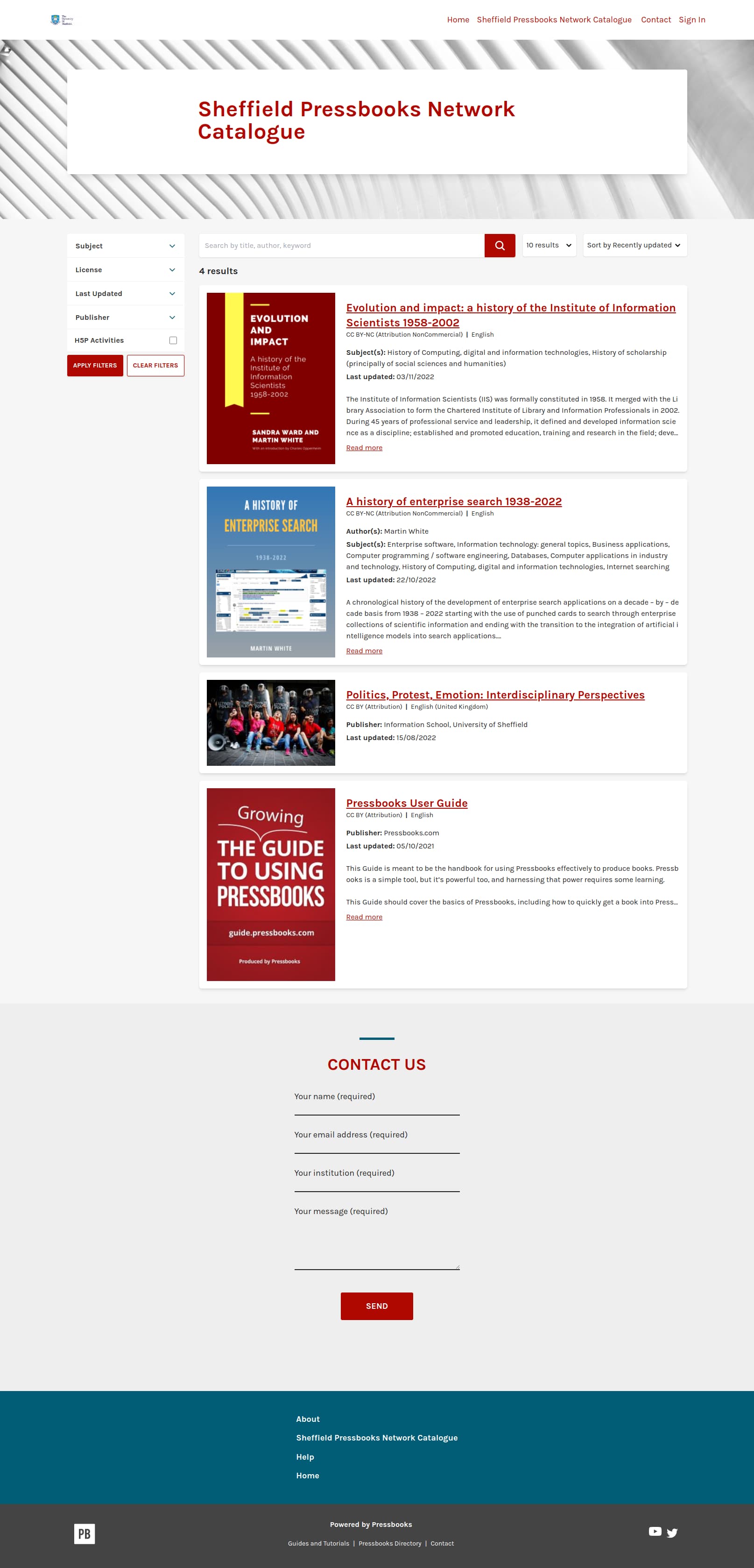
If you see something different, you may need to clear your browser cache?

Hi folks
I’m working in a different location today, different laptop, different browser, and everything does seem to have resolved itself now. I confess I didn’t try different browsers and cache clear when I was in the office yesterday - schoolgirl error! It all looks much better now, so will keep an eye on it when I’m back in the office next week.
Thank you so much for your help, and have a great weekend!
Maria