We have a situation where the H5P content type library (specifically, the question set) for a book was updated after some H5P (same content type) were created, and now the H5P in the book are not displaying properly. Some are not showing at all, even though the embed code is there.
Is this a bug? Any thoughts?
Sorry you’ve encountered this – we’ve recently received reports of this issue and the tech team is investigating a systematic fix. The bug appears to be associated with the H5P Question Set library version 1.20.31. A newer version (1.21.13) is available, and updating existing Question Set activities in a book to this latest version appears to resolve the issue. The steps in this guide could be worth trying: Add Gradable Activities to Your Book – Pressbooks User Guide , specifically the later steps in H5P Content > Libraries for upgrading existing Question Set activities in the book.
Alternatively, opening one of the affected Question Set activities from H5P Content > All H5P Content, selecting Edit, and then clicking Update should also restore the activity.
I have been experiencing similar challenges in viewing H5P after updating my WordPress and Pressbooks sites. I do have a Moodle site that had the same problems but when I uploaded the file H5P integration library v128, all the problems in my Moodle H5P editor disappeared. i did note that trying to upload a file i had created earlier (before updating my H5P, WP & PB) with tabs gave an error indicating a missing library. Does this mean that we need a new version 1.28 in WordPress and Pressbooks to be able to correctly work with H5P? My Wordpress version is WP 6.9.4 and Pressbooks 6.40.0. the current version of the H5P plugin is 1.17.8.
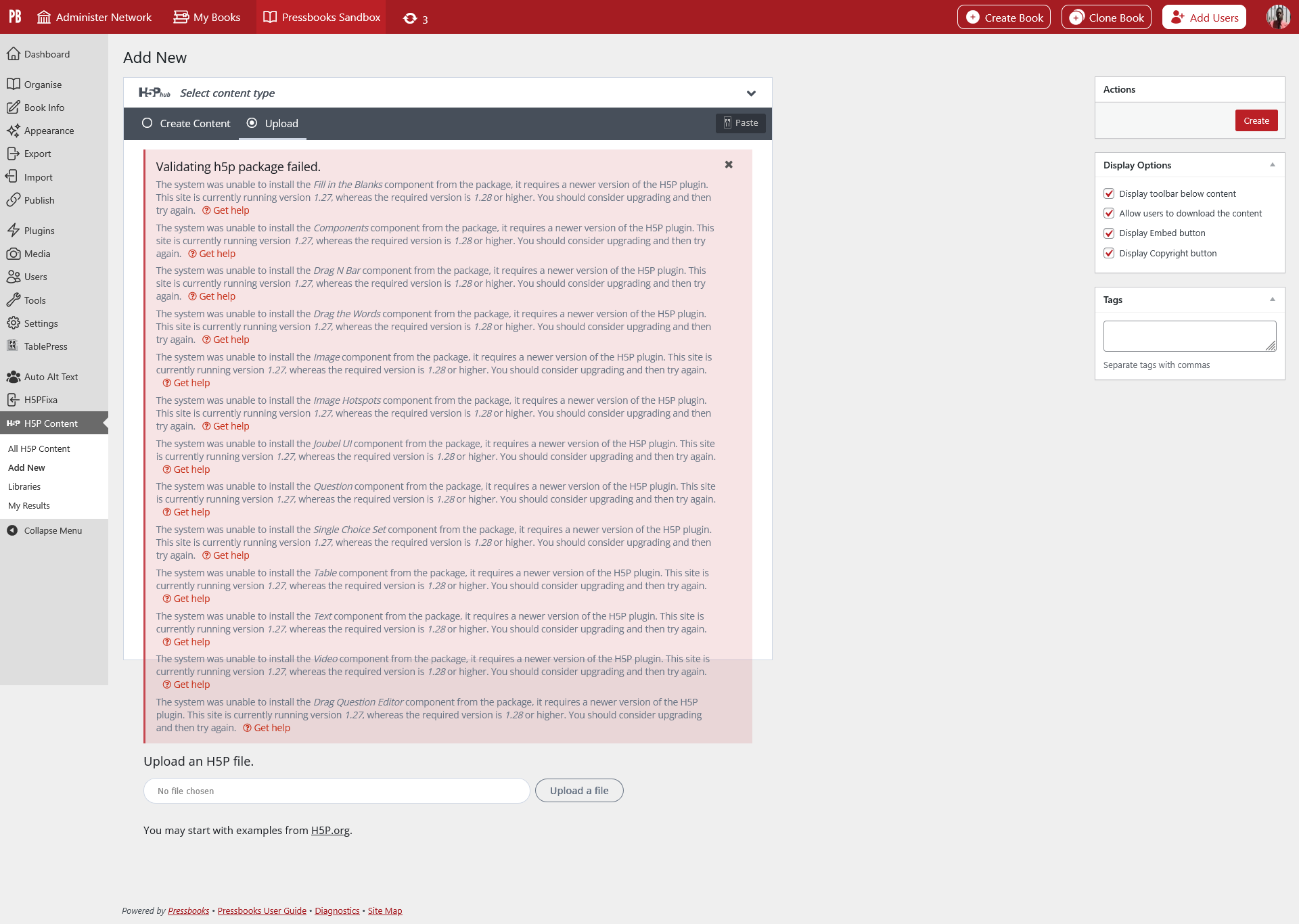
Hi @Isaac_Mulolani, I’m not certain because networks hosted by Pressbooks are using version 1.17.5 of the H5P plugin at the moment (we haven’t tested and upgraded to 1.17.8 yet).
I’m not 100% sure it’s relevant but I’ve seen a similar “Validating h5p package failed” message before when attempting to upload some existing H5P activities from elsewhere into a book. In that case, it was necessary to install related H5P content types from the book’s H5P hub first. After that, the uploads worked without this error message appearing.
Hi Thomas, I’m not sure that installing H5P content types will get rid of this error.The specific reference is to the version of the plugin that the system is looking for - version 1.28 in this case. As I mentioned in my first post, I got this exact error when I tried to upload the same H5P element in Moodle. After uploading the H5P integration library v128 package for Moodle, then everything worked fine. One note is that this new package installs a different looking H5P hub - it now has an option to search from the OER Hub (middle option).
I also noticed that the look and feel of some of the H5P elements is different. I created some H5P elements from within H5P dot com where they have updated their hub as in the image above. Some of my H5P elements that I have created will not view properly in my most recently updated Pressbooks version. Of course, some give the error message in my previous post. It seems to me that the package I uploaded in Moodle contained changes to the H5P hub as well as the look and feel of some of the elements. This is why I am asking when a similar update to the H5P hub in WordPress will be available. For reference, below is the H5P hub inside eCampusOntario’s hosted Pressbooks instance.
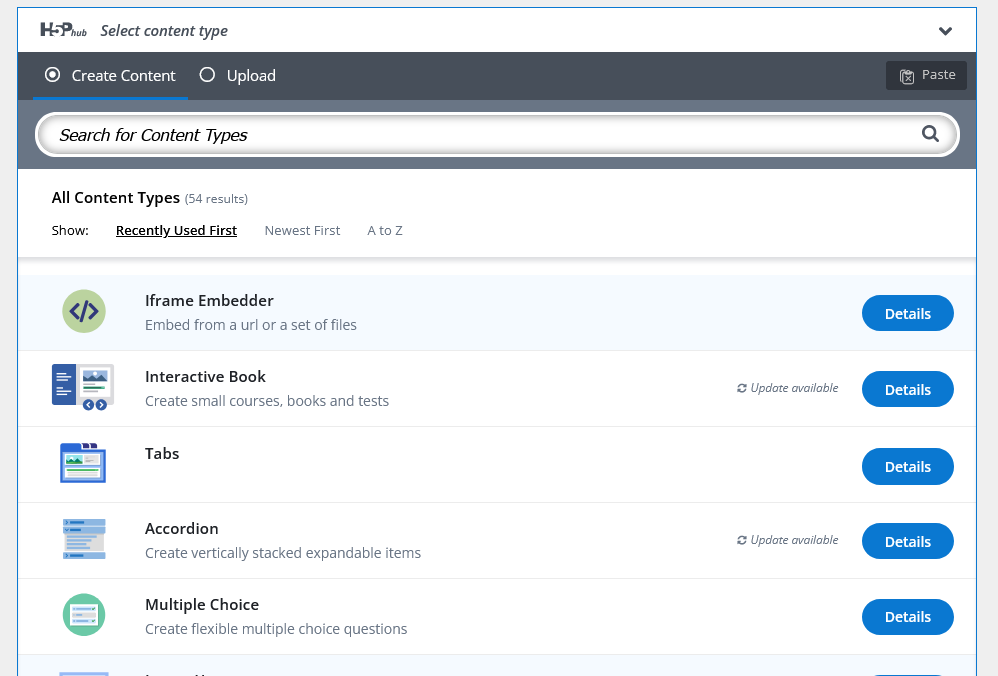
It definitely feels as though there is something else missing in my Pressbooks instance. I am using Pressbooks 6.40.0, WP 6.8.5 and PHP 8.4.21 and the latest version of the Pressbooks H5P plugin 1.17.8. I did read on a page about this issue cropping up earlier this year (see API version 1.28 | H5P ). it would appear that we don’t have the file they are talking about for WordPress yet.