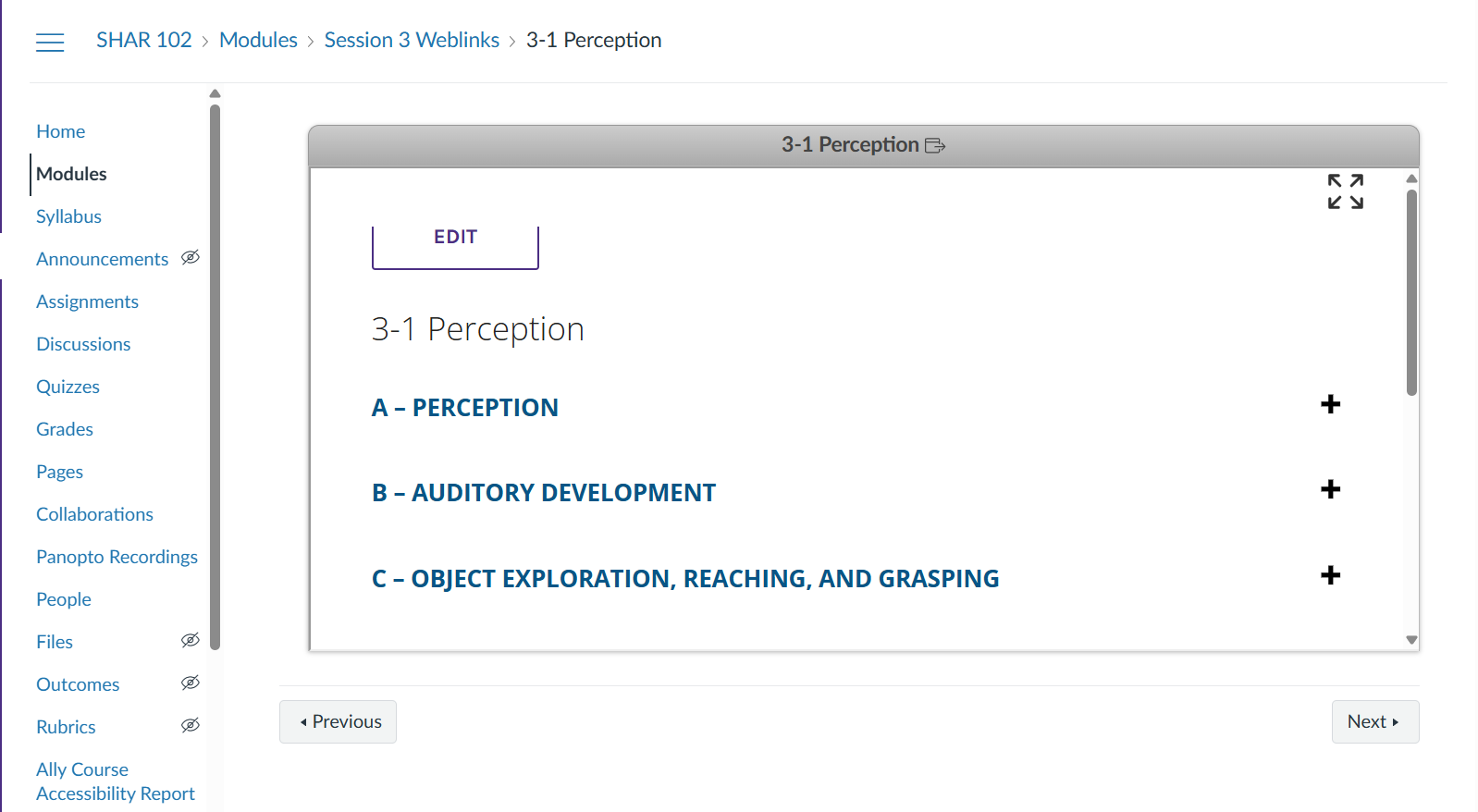
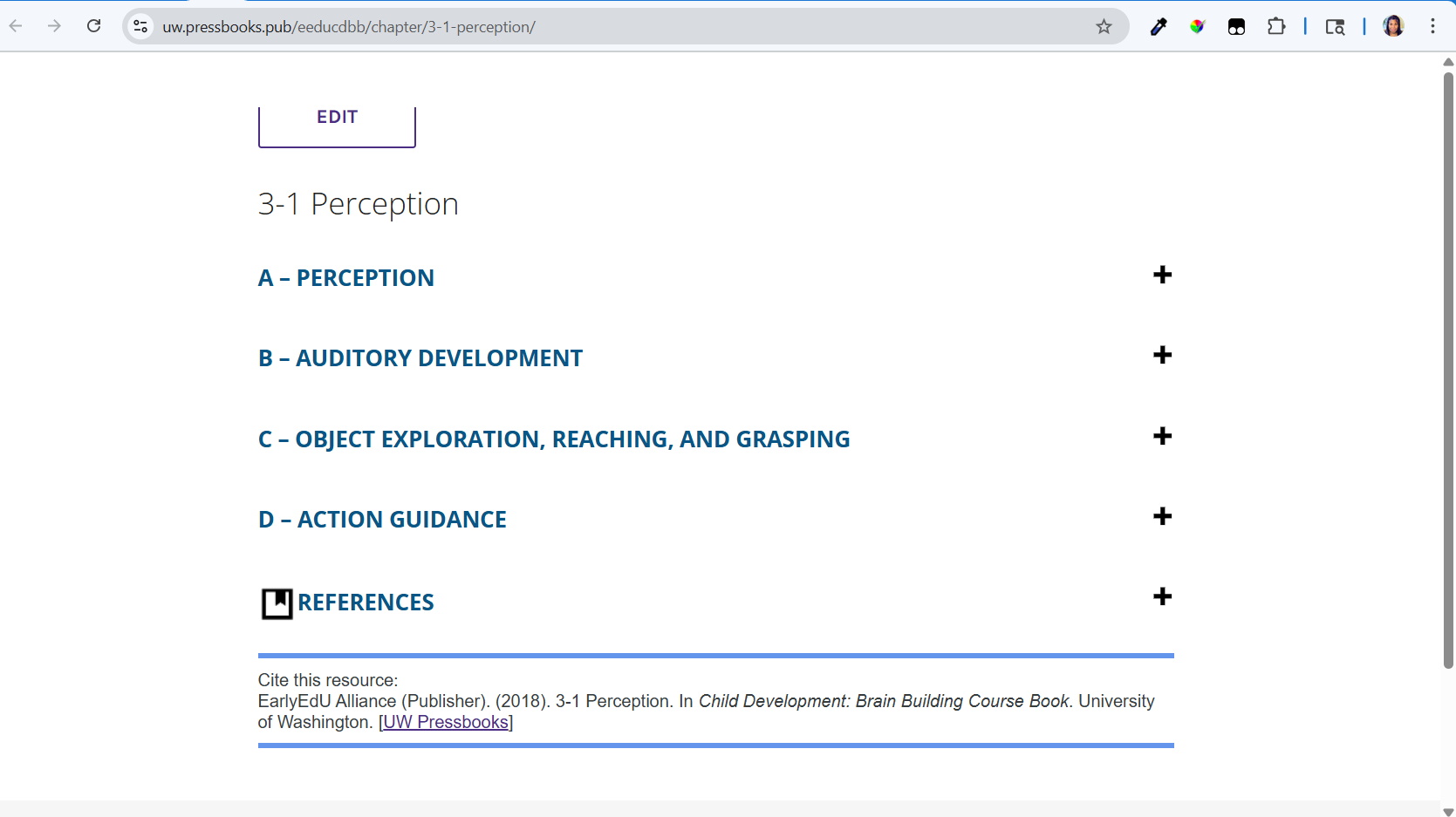
Oh no! All of my embedded Pressbooks pages onto Canvas pages are now failing and showing the full Pressbooks header and the navigation at the bottom! Let me explain…
Previously, the embedded pages knew they were iframe embedded and used the class no-navigation. So, I was able to target that class and customize so that:
// Embed at full-width
.no-navigation.single #content {
max-width: 100%;
}
// embed without header
.no-navigation.single #content header {
display: none;
}
It was beautiful! I had all the content and style but none of the header or footer navigation of Pressbooks. And it was fully expanded to the width of the Canvas page.
As of last week Jul 28, that no-navigation class does not exist anymore, in fact that lti-toolbar class is showing up sometimes. The LTI embedded pages display the LTI toolbar in Canvas. If I look at a LTI embedded page and then look at the page outside of Canvas, only the LTI toolbar to go full screen shows without the regular Pressbooks header or navigation at the bottom.
Yes, my university did install the LTI plugin (long ago) in our university Canvas, but I use the Pressbooks pages on other Canvas instances. And I also put some other content on the page so it’s not just the embedded iframe of the Pressbooks page there.
Most of my books are using the Malala or Bradbury theme. I’m happy to change to another theme if I can get my no-navigation class again and not display that header and the nav area at the bottom, because who needs double navigation.
Please help, any advice will be appreciated. and I’m happy to share screenshots if it will help.
Best Regards - Shar 
Hi @SharStar thanks for the account of what you’re seeing and what changed. This sounds to me like an unintended side-effect of the recently implemented ability to view Pressbooks pages, when brought into Canvas with the LTI plugin, in fullscreen. The iframe embed + custom CSS approach you’re using is different from that LTI plugin-based method, as you note. I’m back in office on Monday and would like to try to recreate your approach in a test Canvas instance and file an issue to bring to the tech team at Pressbooks.
I don’t think there are other themes that currently still have the class you’ve been targeting, so I don’t know of an immediate workaround for restoring the previous look, unfortunately. But I’ll be curious to hear from the developers about possible ways of continuing with the approach you’ve used, hiding header and navigation as before. Sorry for the disruption and I hope to have advice on how to fix this soon.
Thank-you @ThomasWeideman! When I noticed it last week, I figured ok side effect and it will get sorted out in no time. But alas it was still present this week. And I have a course starting soon where I’ve got the Pressbook pages embedded into Canvas because it’s common language that we use. And while we do have links to the full Pressbook, it’s specific pages of information that we are targeting and these are new students, so we are trying to keep them in the Canvas environment in the beginning.
I’m happy to share any of the CSS both from Pressbooks or Canvas that I am using. And I welcome direct email contact.  I’ve uploaded screenshots of my code and issues at Shar’s Pressbooks Errors.
For anyone catching up on this thread the issues are:
Issue 1: LTI toolbar (to go full screen) in LTI embedded Pressbooks pages into Canvas have unintended side effects after looking at the LTI embedded page:
- LTI toolbar will persist on the same Pressbooks page when viewed outside of Canvas.
- LTI toolbar will persist on the same Pressbooks page when iframe embedded in Canvas or weblinks embed in Canvas.
Issue 2: Without looking at an LTI embedded Pressbooks page first:
- Iframe embed of Pressbooks pages into Canvas now displays with full header and bottom navigation (essentially providing 2 navigations at the bottom of the screen)
My university installed the Pressbooks LTI in our main campus Canvas to embed books from our institutional network, but I also use our network Pressbooks embedded in our other Canvas instances and the iframe embed without the header and footer was my main strategy.
Thanks in advance for any help,
Cheers - Shar
On Issue 2: checking out the code you’ve shared, this is an interesting approach I haven’t seen before. I’m keen to try to help but have to mention for context that this isn’t a method Pressbooks officially supports. We usually see Pressbooks content brought into Canvas via LTI, but I understand you’re working with Canvas instances other than your university’s LTI-connected one.
The non-LTI alternative we support is the relatively basic CC with Web Links export and import, where each imported Pressbooks chapter becomes a standalone page in the LMS course. Your approach of iframe-embedding a Pressbooks chapter in a Canvas page (with other content before or after the embedded chapter) is more complex, and I think it’s quite cool but it technically isn’t something Pressbooks has been designed for. I’m still hopeful there will be a way to make it work for you like it did before. I’ll be touch by email in a few minutes about this, since it would be helpful to have the full code from your Canvas editor screenshot to experiment with in our test Canvas instance.
On Issue 1: I’m aiming to replicate this now but at this point I only encounter it when bringing a Pressbooks chapter into a Canvas course both as an LTI link and as a web link, opening the LTI link and then the web link from the course. I see what you see in your 1-2-WeblinkEmbed.png screenshot in that scenario. When I proceed to the Pressbooks chapter outside of Canvas, the LTI view doesn’t persist for me like it does in your 1-1-SoloPage.png screenshot. I’m wondering if this may be related to the custom CSS used by the book in your screenshot but would like to look into this more.