Hi John,
That should be in “Theme Options” in the PDF section
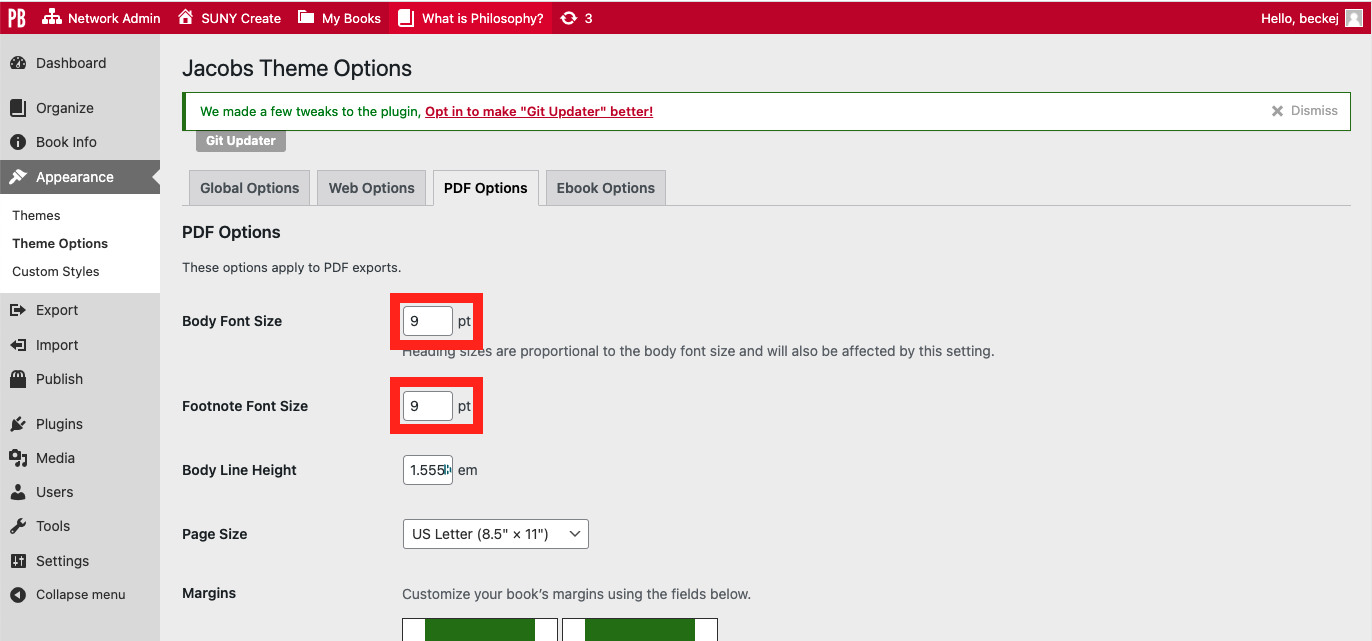
That should help you define the size of the body text. All of the rest of the text in the book is defined as multiple of the body text. So a heading 1 might be 1.3x the body text and a heading 2 might be 1.2x the size of the body text.
–
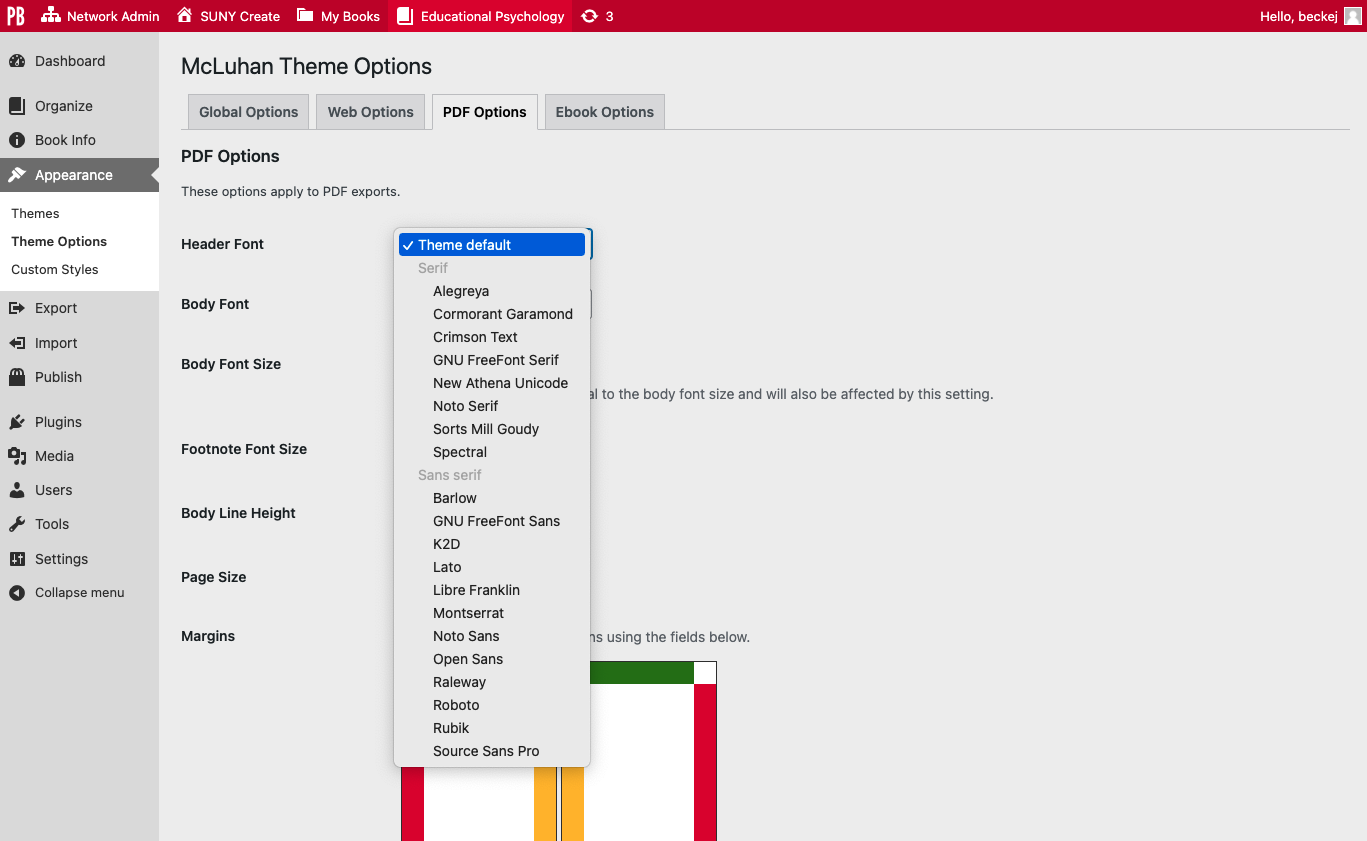
Only a couple themes can change the actual font. Pressbooks called this “Shapeshifter” but you can pick your specfic font on the Malala Theme or the McLuhan Theme.
Note that the first screenshot I showed you was from the “Jacobs” theme, but the one below is from the “McLuhan” theme, and here I have a dropdown list of fonts.