**Author:**  [@lrizquierdo](https://pressbooks.community/u/lrizquierdo)\
**Post date:** [September 8, 2024, 5:45am UTC](https://pressbooks.community/t/display-of-titles-with-html-tags-in-epub-export/2904/1 "2024-09-08T05:45:53Z")
Hi!
I have a part title with a `` tag:
```auto
Part V. Agent-based models vs ODE models
```
I do this to be able to control the format of the word “vs”:
```auto
/* This is a trick so you can force anything you put into
to be lower case. It is done for the "vs" in
"PART V. AGENT-BASED MODELS vs ODE MODELS" */
.part-title span {
text-transform:lowercase;
}
```
This dirty trick (constructive criticism and suggestions are most welcome) works like a charm except for the table of contents in the EPUB export. There, the part title appears as:
```auto
Part V. Agent-based models vs ODE models
```
The reason, presumably, is how the above line is coded in the file “table-of-contents.xhtml” inside the EPUB:
```auto
Part V. Agent-based models <span>vs</span> ODE models
```
As you can see, \< has been transformed into ` <` and \> into `>`
Any ideas on how to fix this?
(Either the general problem I pose here, or my specific problem, by modifying my dirty trick)
Thanks!
---
**Author:**  [@t.dumm](https://pressbooks.community/u/t.dumm)\
**Post date:** [September 8, 2024, 8:45am UTC](https://pressbooks.community/t/display-of-titles-with-html-tags-in-epub-export/2904/2 "2024-09-08T08:45:13Z")
How about having custom CSS that stops the tex-transform to upper case in titles and write the title in capitals where it is wanted?
text-transform: none !important;
---
**Author:**  [@lrizquierdo](https://pressbooks.community/u/lrizquierdo)\
**Post date:** [September 8, 2024, 5:22pm UTC](https://pressbooks.community/t/display-of-titles-with-html-tags-in-epub-export/2904/3 "2024-09-08T17:22:00Z")
Thanks again, Thomas. The issue is that I actually like how it is done in my (McLuhan) theme. You write the part title (once) in lower case (and it appears like that in most cases), but Pressbooks capitalize it in certain places, such as in the part-title in each chapter (see “PART V. AGENT-BASED MODELS vs ODE MODELS” below):
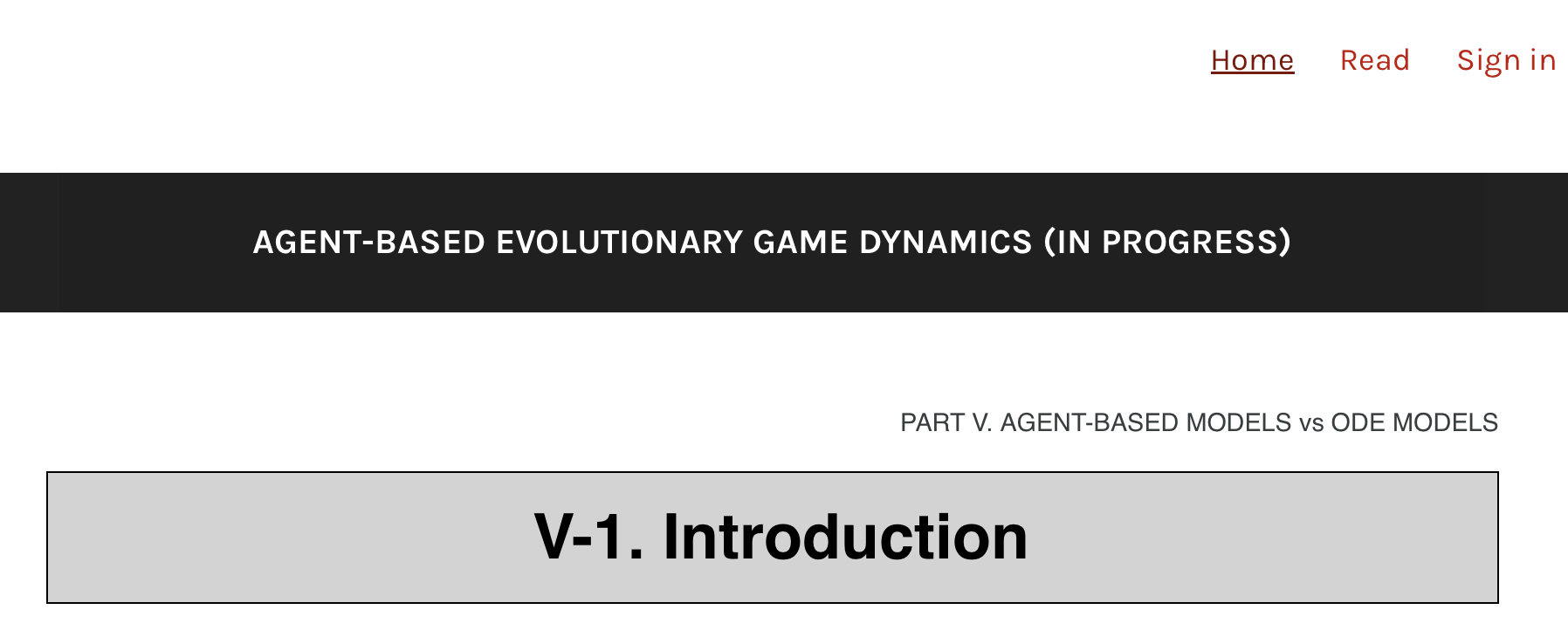
My problem is that I never want “vs” to be upper case. The rest is fine.
Thanks a lot for trying
---
**Author:**  [@t.dumm](https://pressbooks.community/u/t.dumm)\
**Post date:** [September 8, 2024, 9:14pm UTC](https://pressbooks.community/t/display-of-titles-with-html-tags-in-epub-export/2904/4 "2024-09-08T21:14:57Z")
Well then… I do not think tags are „officially“ supported in post titles. The fact that they work online and in the PDF export might be „luck“. You could file a feature request for tag support also in EPUB export.
---
**Author:**  [@lrizquierdo](https://pressbooks.community/u/lrizquierdo)\
**Post date:** [September 9, 2024, 12:19pm UTC](https://pressbooks.community/t/display-of-titles-with-html-tags-in-epub-export/2904/5 "2024-09-09T12:19:40Z")
That is very useful information, thanks a lot, Thomas
---
**Author:**  [@douglsmith](https://pressbooks.community/u/douglsmith)\
**Post date:** [January 13, 2025, 6:40pm UTC](https://pressbooks.community/t/display-of-titles-with-html-tags-in-epub-export/2904/6 "2025-01-13T18:40:40Z")
WordPress does specifically allow HTML tags in post titles, which is why it likely works in most places. I’ve used `` tags in titles to italicize words, for example. It gets stored in the database as entered.
It looks like this is specific to the way Pressbooks generates the EPUB table of contents. I can see a couple of places in the Pressbooks code where it is intentionally stripping out tags.