# Changing URL of a book
**URL:** https://pressbooks.community/t/changing-url-of-a-book/329
**Category:** Administering Pressbooks Networks
**Created:** [January 9, 2018, 2:45am UTC](https://pressbooks.community/t/changing-url-of-a-book/329 "2018-01-09T02:45:54Z")
**Posts on this page:** 3
**Page:** 1
### Author:  [@SteelWagstaff](https://pressbooks.community/u/SteelWagstaff)
#### Post date: [January 9, 2018, 2:45am UTC](https://pressbooks.community/t/changing-url-of-a-book/329/1 "2018-01-09T02:45:54Z")
I know that upon the creation of a new book that users are told “It cannot be changed, so choose carefully! We suggest using the title of your book with no spaces.” I also know that for many of our users the project and/or working title of their book changes in the making of the book. With that in mind, I’m curious to know whether it’s possible for network super admins to change the URL of a book on the network and/or use the domain mapping features that are now native to WP multisite [https://codex.wordpress.org/WordPress\_Multisite\_Domain\_Mapping—or](https://codex.wordpress.org/WordPress_Multisite_Domain_Mapping%E2%80%94or) are these intentionally suppressed with Pressbooks? If it is possible, is there any extant documentation for making this switch. If it’s not possible, is cloning the book to the new desired URL and then deleting the old book the best way to ‘change’ a book’s URL?
---
### Author:  [@colomet](https://pressbooks.community/u/colomet)
#### Post date: [January 9, 2018, 8:35am UTC](https://pressbooks.community/t/changing-url-of-a-book/329/2 "2018-01-09T08:35:58Z")
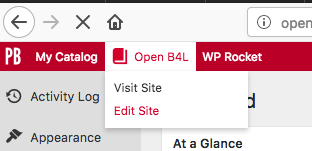
to change an URL is easy, you can do anytime from edit the site:
Then, change the name of the book in both places.
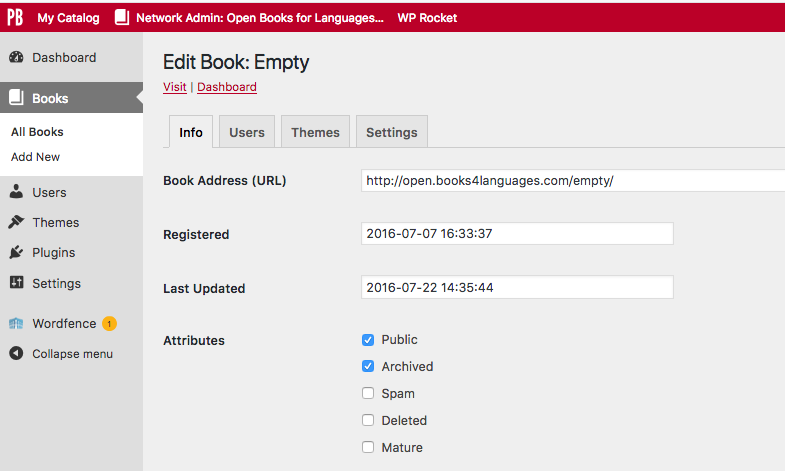

You can delete a book and to use the same URL as before, to change the book 1 to a new name and to use the book 2 with the name of the book 1…
Here some information: [https://premium.wpmudev.org/blog/domain-mapping-wordpress/](https://premium.wpmudev.org/blog/domain-mapping-wordpress/)
---
### Author:  [@ned](https://pressbooks.community/u/ned)
#### Post date: [January 9, 2018, 11:25am UTC](https://pressbooks.community/t/changing-url-of-a-book/329/3 "2018-01-09T11:25:46Z")
> [@colomet](#):
>
> to change an URL is easy, you can do anytime from edit the site
Yes, but with one caveat—only network administrators can edit sites through that interface. (And I think, at one point, even network administrators couldn’t change site URLs.)
Maybe we could revisit the text on the signup page at this point.